For wallpaper and flooring trades,
a site that makes the phone ring.
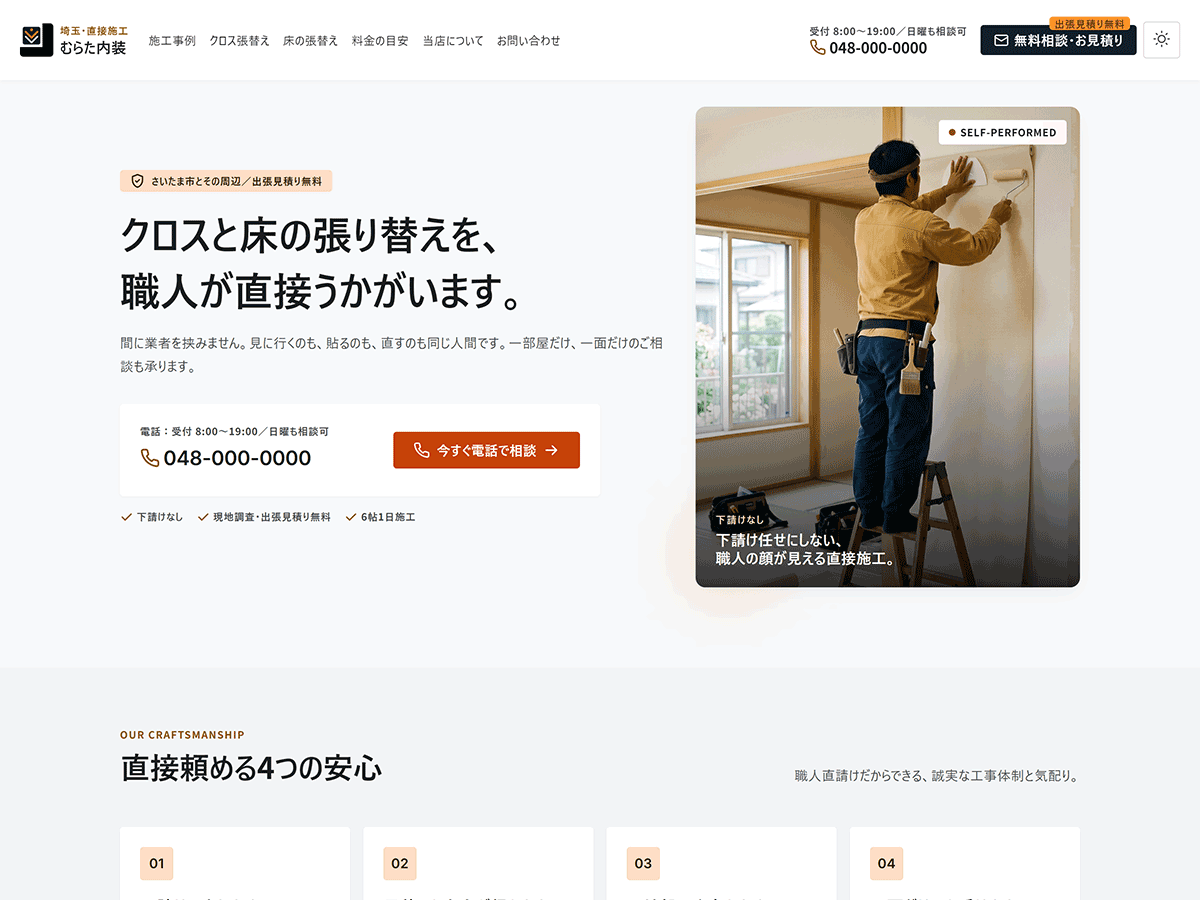
Genva Interior is for tradespeople who replace wallpaper and flooring. The design is already done — no colours to pick, nothing to rearrange. Swap in your own words and photos, and it takes shape.
9,800 JPY
Regular price 12,800 JPY
On sale
- No plugins required
- Dark mode toggle
- Two colour schemes
Why
Your phone number,
never hard to find
People who want new wallpaper or flooring usually want to talk it through on the phone first. Whatever page they open, the way to call you is right there.
-
01
In the header
The phone number and business hours sit at the top of every page.
-
02
At the end of pages, too
It also appears on the front page, at the end of each page, and on the 404 page.
-
03
A fixed bar on phones
A bar with Home, Call us, and Free quote stays fixed to the bottom of the screen.
-
04
Tap to call
On a phone, tapping the number dials it straight away.
Features
What's included
Projects are the only thing that keeps growing. So projects are posts, while services and prices are pages.
-
SHOP INFO
Shop details in one place
Enter your phone number, business hours, and address under Appearance > Shop details, and the header, footer, front page, and 404 page all update.
-
PAGES
Five ready-made pages
Wallpaper, flooring, price guide, about, and contact. Pick a pattern when you create the page, and that's it.
-
WORKS
Two ways to show projects
Hand-pick three projects, or let the newest posts fill in automatically. Swap one front-page section for the other.
-
TEMPLATE
A starter layout for project posts
Choose the project-post pattern for a new post, and the content fills with before-and-after photos and a cost table.
-
STYLE
Two colour schemes
Ochre and indigo. Each comes with both a light and a dark palette.
-
DARK MODE
Dark mode toggle
A button at the right end of the header switches it. The choice is saved in the visitor's browser.
Front Page
Ten sections
on the front page, ready
The moment you activate the theme, every section an interior trades site needs is in place.
- HeroHeadline, phone number, and a "call now" button
- Four reasons to call us directNo subcontracting, the person who quotes is the person who comes, and more
- Our workBefore and after photos, with location, cost guide, and duration
- The man who comesPhoto, background, a few words
- PricesA guide price for each job, in a table
- Why people call usItemised quotes, careful protection and clean-up, and more
- How it goesFive steps from the first call to handover
- Where we workA list of towns and cities
- What customers sayWith the area and the job done
- Start with a phone callPhone number, business hours, and shop details
Pages
Every page you need,
from a pattern
Open Pages > Add New and a pattern picker appears. The pattern's content goes straight into the page, so you simply edit it from there. Pattern names are in Japanese, as the theme is written for the Japanese market.
| Page | Example slug | Pattern to choose |
|---|---|---|
| Wallpaper | cross | 固定ページ:クロス張替え |
| Flooring | floor | 固定ページ:床の張替え |
| Price guide | price | 固定ページ:料金の目安 |
| About | about | 固定ページ:当店について |
| Contact | contact | 固定ページ:お問い合わせ |
| Our work (list) | work | None (set it as the Posts page) |
Projects, with before-and-after photos and a cost table
Projects are written as posts. Choose the 投稿:施工事例 pattern for a new post, and the content fills with before and after photos and a table for location, cost guide, and duration.
Set the finished photo as the featured image and it appears large at the top of the post. The text shown on the front page and in the list comes from the excerpt.
Mobile & Dark
On a phone, or after dark
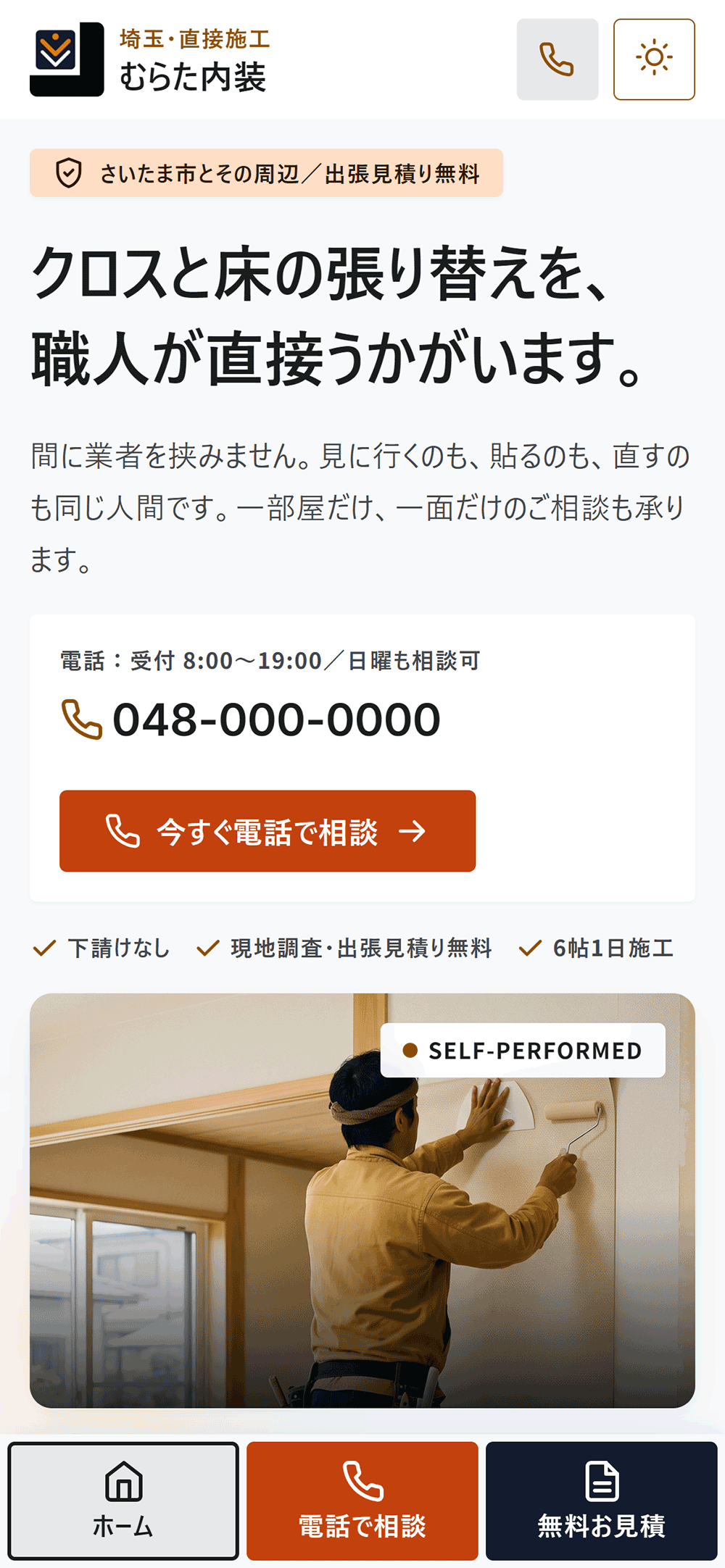
On phones, call from the bottom bar
Three buttons — Home, Call us, and Free quote — stay fixed to the bottom of the screen. However far visitors read, calling is one reach of the thumb away.
Text sizes bottom out at 16px for body text, 14px for notes, and 12px for labels, so everything stays readable on a small screen.
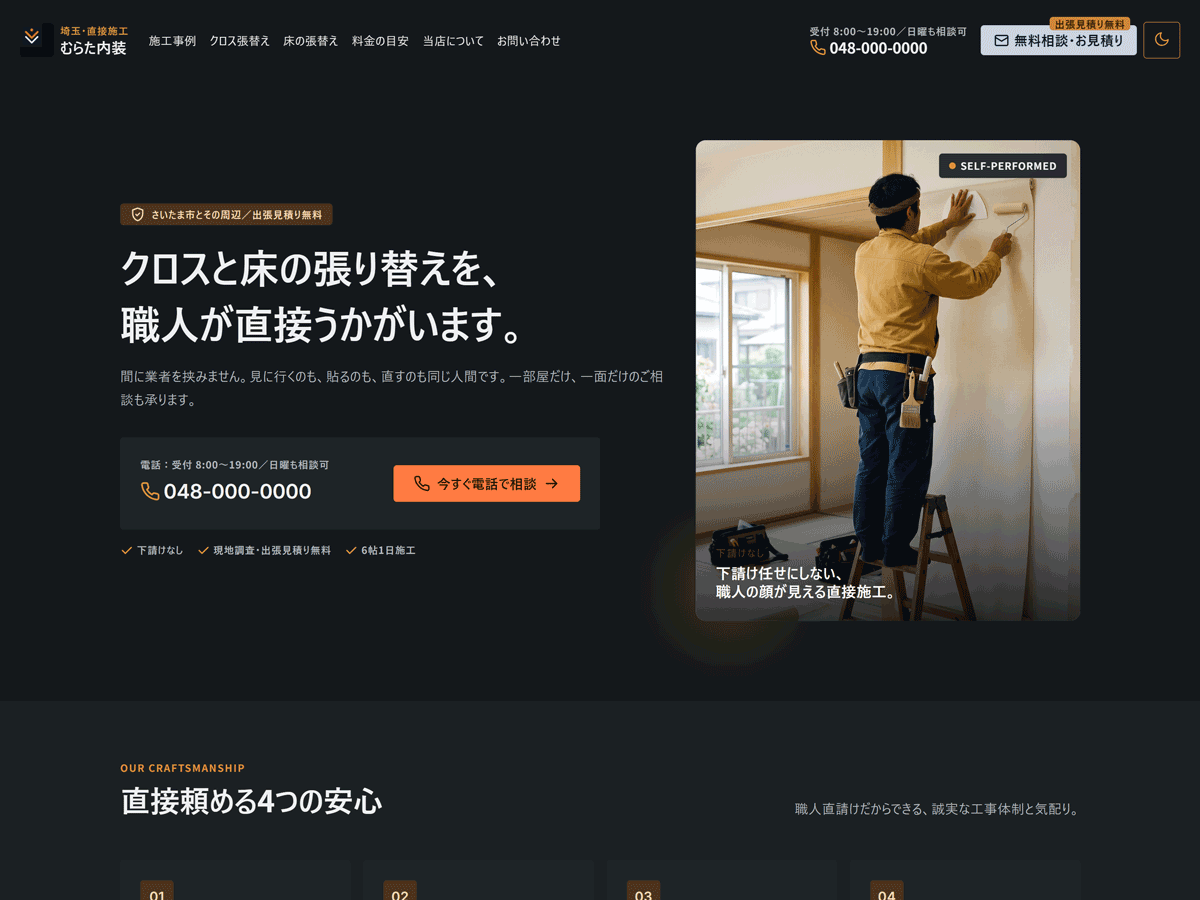
Easy to read in dark mode
Even in the dark palette, text and background keep a contrast ratio of at least 4.5:1. Every pair was measured.
Visitors choose dark mode with a button. It doesn't follow the computer's or phone's setting.
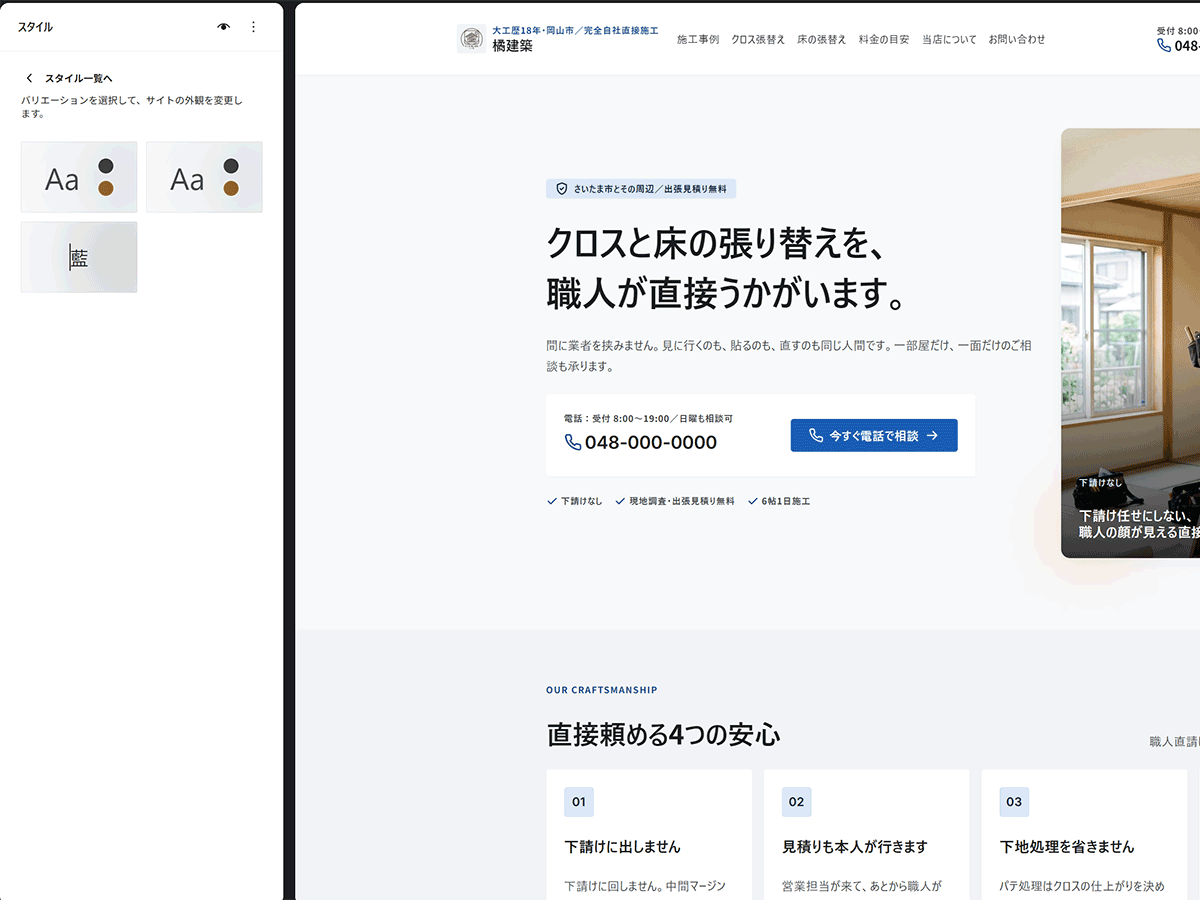
Ochre or indigo
Choose one under Appearance > Editor > Styles, where they're listed as オーカー (ochre) and 藍 (indigo). Both have a light and a dark palette.
Setup
Set it up in this order
Everything happens inside the WordPress dashboard. No code required.
-
Activate
Upload the zip and activate the theme.
-
Enter shop details
Enter your phone number, business hours, and address in one place.
-
Name and logo
Set the Site Title, Tagline, and logo.
-
Permalinks
Choose "Post name" and save.
-
Create the pages
Pick a pattern for each and set up seven pages.
-
Reading settings
Set the homepage and the Posts page (your projects).
-
Connect the links
Point the header and footer links at the pages you created.
-
Add a form
Place your form plugin's block in the frame on the contact page.
Step-by-step instructions are in the documentation (Japanese).
Spec
Requirements
No requests go to outside font services. The Latin typefaces are bundled; Japanese text uses the fonts on the visitor's device.
| Theme type | Block theme (full site editing) |
|---|---|
| WordPress | 6.7 or later (tested up to 7.1) |
| PHP | 7.4 or later |
| Required plugins | None (a form plugin only if you add a form) |
| Languages | Japanese (source) and English (en_US) |
| Updates | From the WordPress dashboard |
| License | GNU General Public License v3.0 or later |
| Version | 1.2 |
FAQ
Frequently asked questions
Are the photos from the demo site included?
No. The photos on the demo site and in the screenshots are AI-generated images. The theme ships with four placeholder images (SVG) for you to replace with photos of your own work.
Is there a contact form?
No. Sending mail is a plugin's job — if the theme included it, your form would stop working the day you changed plugins. The contact page has a frame ready for your form.
Can I change the colours freely?
You can choose between ochre and indigo. Both were checked so that text and background keep a contrast ratio of at least 4.5:1. You can change individual colours too, but some combinations may become hard to read.
Does dark mode follow the computer's setting?
No. Visitors choose it with the button at the right end of the header. The choice is saved in their browser and used again on their next visit.
Will a theme update erase my edits?
No. Edits made in the Site Editor are stored in the database, so updating the theme doesn't remove them. However, a template you've saved no longer picks up changes from the theme. To go back to the theme's version, reset that template in the Site Editor.
Price
Genva Interior
9,800 JPY
Regular price 12,800 JPY (on sale)
Sales run from time to time. Check the product page for the current price.
- Ten front-page sections
- Five ready-made pages
- A sample layout for project posts
- Shop details in one place, and a fixed bar on phones
- Two colour schemes and a dark mode toggle
- Updates from the WordPress dashboard