A WordPress theme for small professional offices
Blanky
Work
A block theme for small tax, accounting and law offices whose clients are mostly individuals. The front page already carries what such an office needs: concerns, reasons to choose you, services, case studies, your team, news and a short way to get in touch.
For Small Offices
They come to you
as people.
Most people see a tax accountant or a lawyer only a few times in their life: an inheritance, a divorce, a first tax return. They will be talking to a stranger about family and money. So the first thing they want to know is who will listen, where, and about what.
Looking at the first screen of twenty real tax and law offices, the ones that serve individuals put a heading with their location, badges such as "First consultation free", and the phone number right at the top. Blanky Work starts with all of these in place. Replace the words and photographs with your own.
Front Page
Already on
your front page.
-
Hero
A heading with your location, a consultation button and your phone number. Visitors know where you are and what you do before they scroll. Four heroes to choose from.
-
Concerns
"A tax audit notice has arrived." "The inheritance process is stuck." It starts from your clients' own words, not service names, and leads to the service that helps.
-
Why Us
Three numbered reasons on a dark band. A licensed accountant on every case, reports in plain words, quick replies. Your promises, kept short.
-
Services
Three areas, such as tax, accounting and inheritance, as cards. Each one leads to the Services page.
-
Case Studies
Your latest three case studies, listed automatically. A post set to the Status format becomes a case study and stays out of the news list.
-
Team
Photographs, titles and a line from the representative and staff. Full profiles go on the Staff page.
-
News & Columns
A dated list with labels. Notes for the filing season and columns on tax changes show that the office is active.
-
Contact
Address, phone and hours, with a button to the Contact page. On phones, a "Call Us / Free consultation" bar stays at the bottom of the screen.
Heroes
Choose your
first screen.
Swap the hero in the Site Editor. The colour style is chosen separately, so match it to your photograph.
-
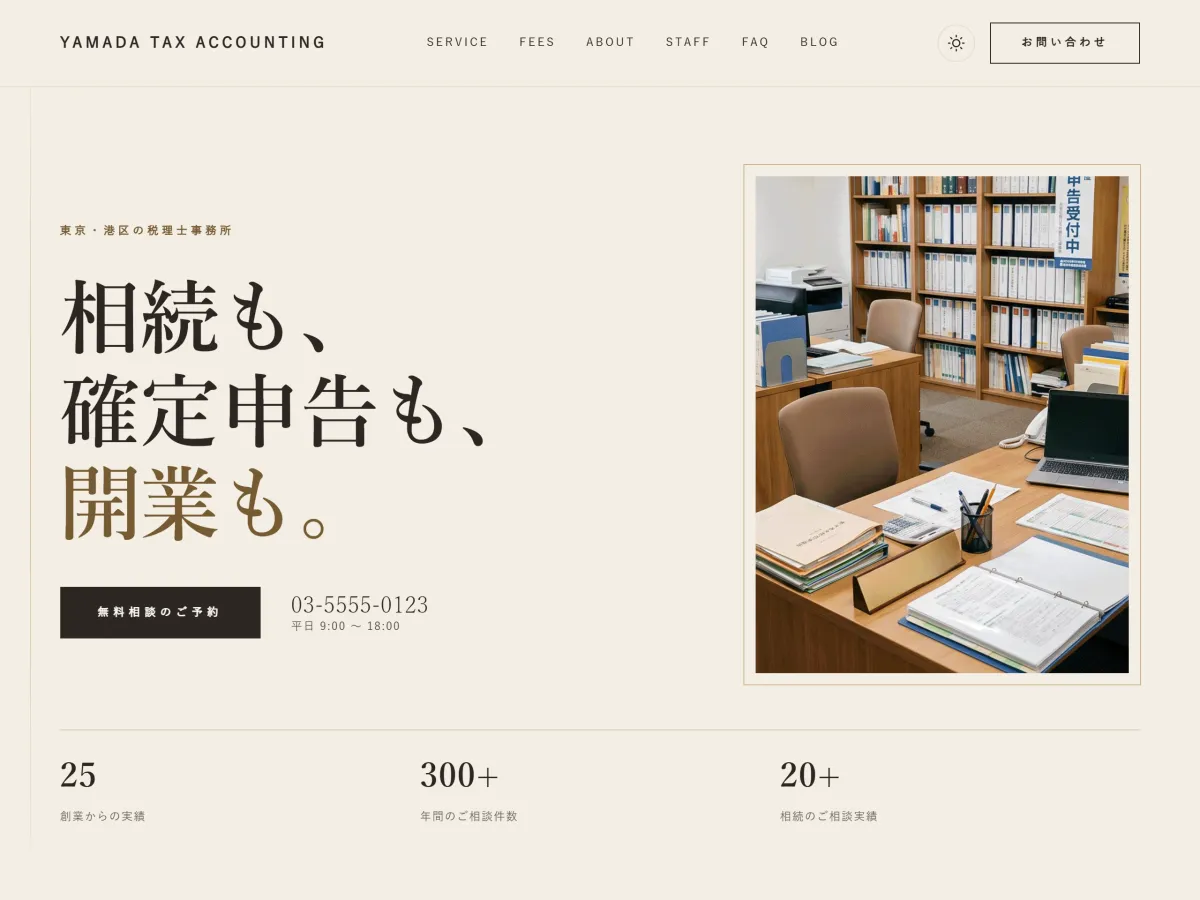
Statement
A large heading and a tall photograph of the office, with three figures below. For offices without a portrait yet. This is the default.
-
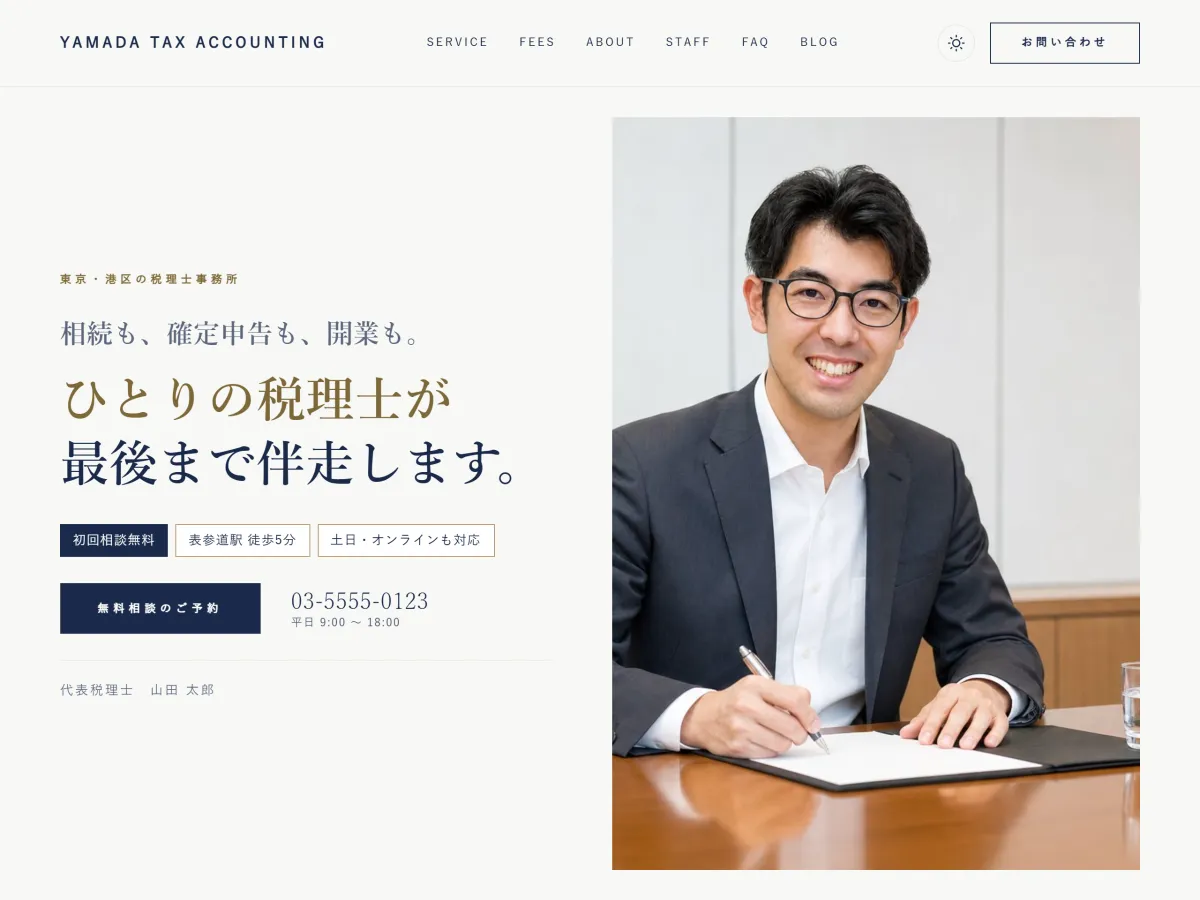
Person+ Navy
The representative's portrait beside the location, heading, badges such as "First consultation free" and the phone number. For offices that want a face to reassure people. Shown with the Navy style.
The person in the photograph was created with AI (an image generation model). Photograph: SATO STOCK
The theme ships no portrait, only a frame that shows where yours goes. -
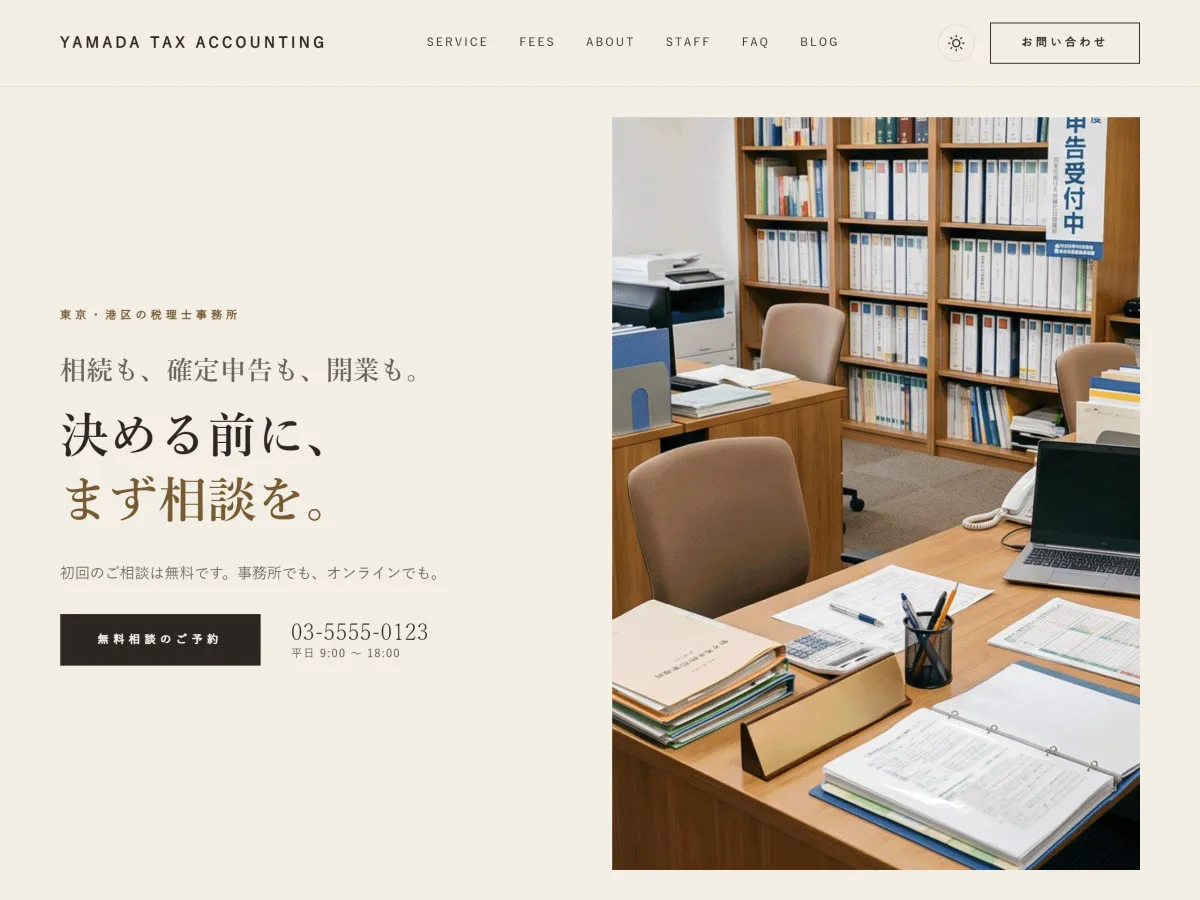
Scene
The same layout as Person, with the office or the street instead of a face. For offices that prefer not to lead with a person, or that serve many companies.
The earlier hero (EST., heading and four figures) is also available as Classic.
Design
Cream and Mincho,
calm by design.

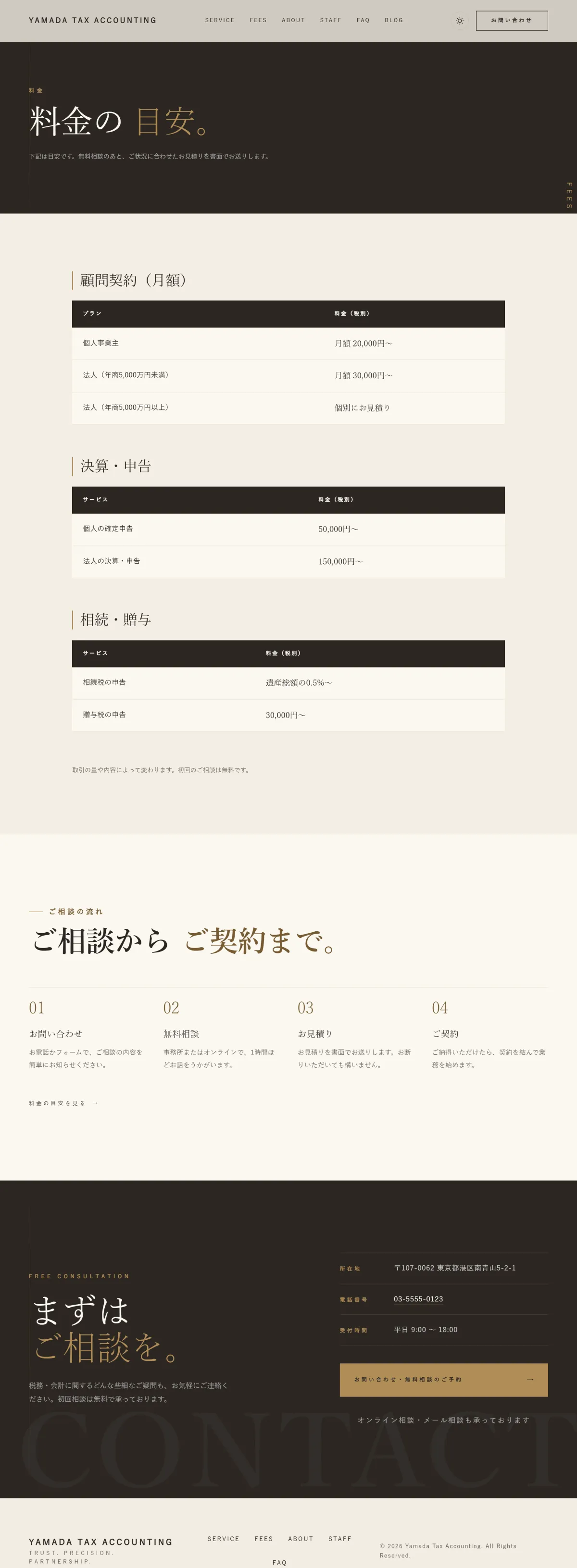
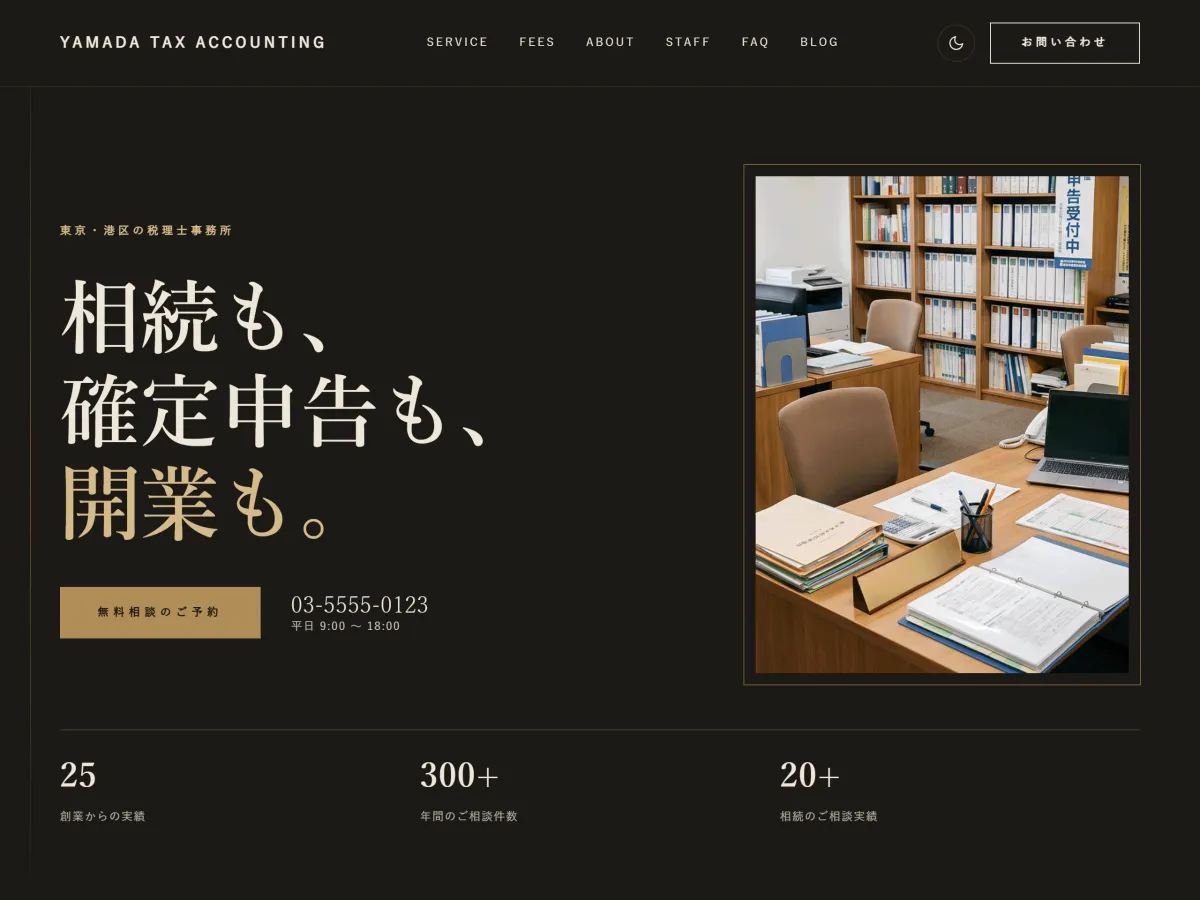
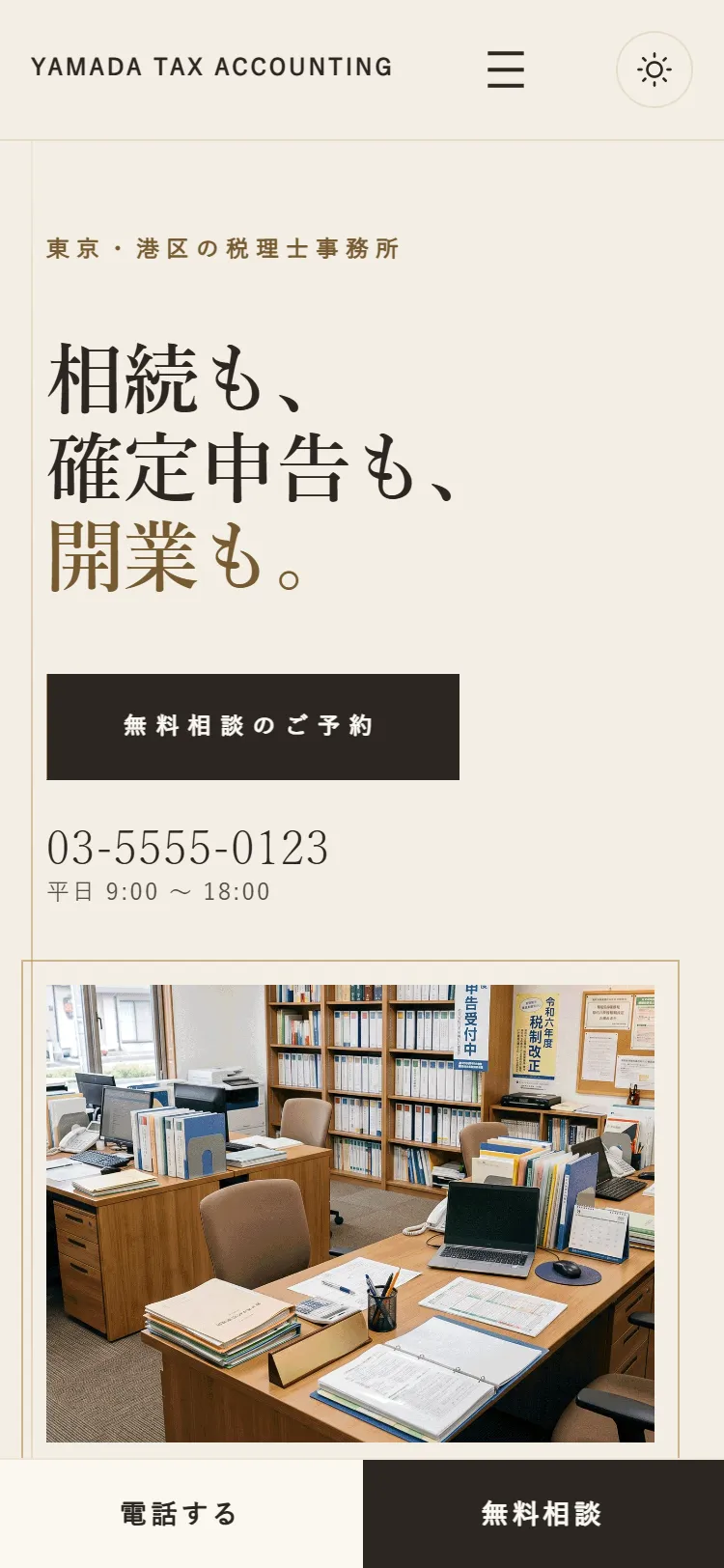
On phones, the phone is never far.
The consultation button and phone number fit on the first screen. As visitors scroll, the "Call Us / Free consultation" bar stays at the bottom. All text is 12px or larger.
How To
Updating is just posting.
- Enter your phone and address
- Enter them once in Appearance → Office details. They appear everywhere the theme shows them, from the header and hero to the contact section and the call bar on phones, and in the editor too.
- Add a case study
- Set the post's format to Status on the right of the editor. It appears in Case Studies on the front page and stays out of the news list.
- Write news and columns
- Just post as usual. They appear in News & Columns on the front page and on the posts page.
- Fees and FAQ pages
- Create pages with the slugs
fees,faqandcontact, and each uses its ready-made design. Replace the fee tables and questions with your own.
Installation
Three steps.
That's it.
-
Upload and activate
Go to Appearance → Themes → Add New Theme → Upload Theme, choose blanky-work.zip, install and activate.
-
Reading settings and pages
In Settings → Reading, set the homepage to a static page and choose pages for the front page and for news. Create the Fees, FAQ and other pages too.
-
Office details and words
Enter your phone and address in Appearance → Office details, then open the front page in Appearance → Editor and replace the heading, photographs and team.
Pricing
Buy once,
use it for good.
9,800 JPY
One-time purchase · No subscription · GPL v3 · Occasional sales
- Blanky Work theme (v1.7)
- Every template and pattern included
- Automatic updates from the WordPress admin
- Commercial use allowed (GPL v3)
- Requires WordPress 6.7 or later
FAQ
Questions.
Can offices other than tax accountants use it?
Yes. The layout suits any office that advises individuals, such as law, labour or administrative scriveners' offices. The sample concerns, services, fees and questions are written for a tax office, so rewrite them for your own work.
Does it suit an office that mostly serves companies?
The Scene hero gives a calm first screen that does not lead with a person, and the Navy, Graphite, Obsidian and Royal Purple styles are there to choose from. Rewrite the concerns in the words of business owners.
How are case studies and news kept apart?
With WordPress post formats. Set a post to Status and it appears in Case Studies on the front page, not in the news list. Categories stay free for you to use, for example to label news and columns.
Do I have to change the phone number in many places?
No. The phone number, hours, address and email entered in Appearance → Office details appear together in the header, the hero, the contact section, the About and Contact pages and the call bar on phones.
Is there a contact form?
The theme has no form of its own. The Contact page has a place ready for one: install the form plugin you like, such as Contact Form 7, and put its form there.
Can I use the sample figures and case studies as they are?
No. The hero figures, case studies, team and fees all describe a fictional office. Replace them with your own, or delete what you do not use.
How do I receive updates?
Update notices appear in the WordPress dashboard, and you update from the admin like any other theme.
Does it load external fonts or scripts?
No. The theme uses the serif and sans-serif fonts already on the reader's device, so no outside server is contacted.